
LKQ2.4 - App Store
You'll be able to see results in few seconds.
Publisher Description
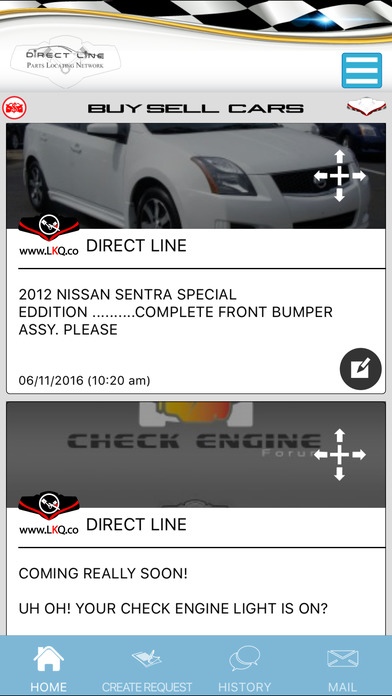
Many tools are available to help you save time and get fair pricing on automotive parts whether they are New, Used, Refurbished, Performance or Custom Made parts! Our new innovative buying platform makes things so much simpler then any other platform out there, and can save you up to 70 % on parts. Built around over 35 years of automotive experience, our system was built from scratch by our team engineers to put a new bench mark on buying auto parts from web based and mobile platforms. LKQ search engine is a one stop auto.....MOTIVE community where you can find, buy, sell, learn, communicate and troubleshoot about everything automotive!
YES LKQsearch engine is free to use, unless you want to become a professional vendor.
Anybody can use LKQ search engine for anything automotive. Whether you are Auto Mechanic or a Car Hobbyist who enjoys the challenge of DIY, you can use LKQ search engine to communicate with other like minded car enthusiasts in real time! At LKQ you can share information to help each other to solve car diagnostic problems from anywhere in the world! If you are an automotive professional, you can promote your business by communicating with other community members to help refer business to each other. LKQ search engine was built to be useful for any car enthusiast, we are all the same kind of people because we love cars and that love should be shared! LKQ search engine is a living Company, it is evolving every day and becoming the perfect place to ranch, customize, communicate, promote, race, and share anything auto...MOTIVE!
Requires iOS 8.0 or later. Compatible with iPhone, iPad, and iPod touch.
About LKQ
The company that develops LKQ is Armen Kazaryan. The latest version released by its developer is 2.4.
To install LKQ on your iOS device, just click the green Continue To App button above to start the installation process. The app is listed on our website since 2013-05-04 and was downloaded 0 times. We have already checked if the download link is safe, however for your own protection we recommend that you scan the downloaded app with your antivirus. Your antivirus may detect the LKQ as malware if the download link is broken.
How to install LKQ on your iOS device:
- Click on the Continue To App button on our website. This will redirect you to the App Store.
- Once the LKQ is shown in the iTunes listing of your iOS device, you can start its download and installation. Tap on the GET button to the right of the app to start downloading it.
- If you are not logged-in the iOS appstore app, you'll be prompted for your your Apple ID and/or password.
- After LKQ is downloaded, you'll see an INSTALL button to the right. Tap on it to start the actual installation of the iOS app.
- Once installation is finished you can tap on the OPEN button to start it. Its icon will also be added to your device home screen.
Program Details
System requirements
Download information
Pricing
Version History
version 2.4
posted on 2013-05-04
Disclaimer
Official App Store Link
We do not host LKQ on our servers. We did not scan it for viruses, adware, spyware or other type of malware. This app is hosted by Apple and passed their terms and conditions to be listed there. We recommend caution when installing it.
The App Store link for LKQ is provided to you by apps112.com without any warranties, representations or guarantees of any kind, so access it at your own risk.
If you have questions regarding this particular app contact the publisher directly. For questions about the functionalities of apps112.com contact us.
